Word document to handwriting: upload the .docx, get handwritten pages
People mean two things by this. One is typing in Word with a handwriting font, which only changes how the letters look. The other is taking a finished Word document and getting pages that look written by hand, and that is what this guide covers. Upload the .docx, pick a hand, download the pages. The part worth reading is what survives the trip.
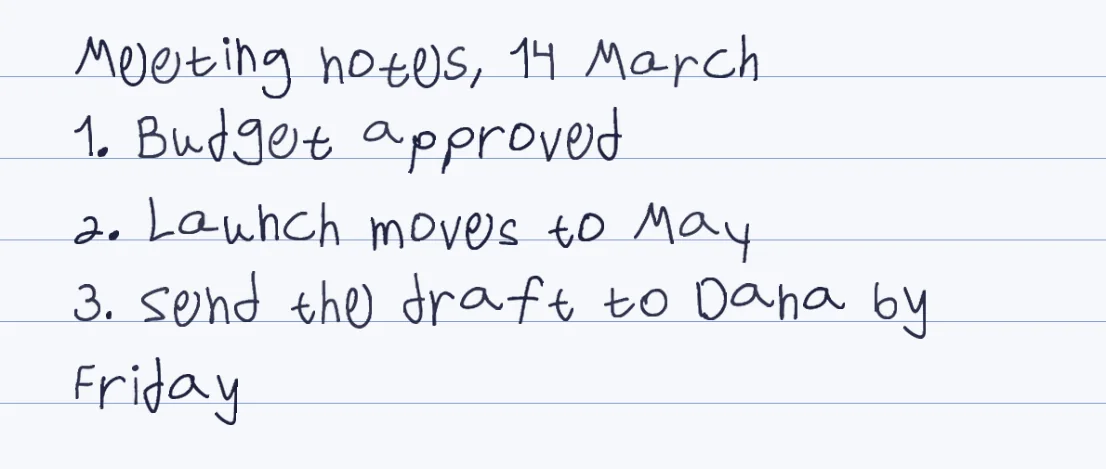
The text comes across
Every paragraph of the body is read in order and written out in the hand you picked.
Numbers and bullets do not
Word's automatic list numbers are not part of the text. Type 1. or a hyphen yourself.
Tables go to the end
A table is read row by row and added after the body text, so move table rows into the text first.
Accept tracked changes
Text inside a tracked insertion is skipped, so accept all changes before you upload.
How it works
- In Word, accept all tracked changes and type any list numbers and bullets into the text
- Open Penmark and press try-now to load a ready-made hand, or load your own library
- Upload the .docx or paste the text, choose lined, grid, dotted or blank paper, and tune the size
- Download a PDF, a Word file or PNG pages. In Word, each page is an image of the handwriting
Try it free, a ready-made hand and a first page in seconds
What happens to a .docx when you upload it
Penmark reads the body of the document as plain text, one paragraph after another, and writes it out in the hand you chose. That is all it reads. Bold, italics, colours, font sizes and headings all become ordinary lines of the same size. Images, shapes, text boxes, headers, footers and footnotes are not read, and neither is text inside a tracked insertion.
Two behaviours catch people out, and we confirmed both by running a test file through the same upload path. Word's automatic numbering and bullets live outside the paragraph text, so a numbered list arrives as bare lines. And a table is read row by row with the cells separated by spaces, but it is placed after all the body paragraphs, not where it sat in the document.
Fix the document first: a two-minute checklist
Accept or reject every tracked change, because text inside a tracked insertion is skipped and the page would be missing sentences. Type the numbers and hyphens that Word was generating for you. If a table matters, cut its rows into the body where you want them and write each row as a line.
Then look for characters outside the 155 that the template covers. A web address with an underscore, an email address with an @, an ampersand, a hash sign or a dollar sign cannot be drawn, and the page lists what it skipped before you download. Curly quotes and long dashes are converted to straight ones for you, so those need no fixing.
A handwriting font in Word, or converting the document
A handwriting font installed on your computer lets you keep typing and editing in Word, and the document stays live text. The cost is that every letter repeats one fixed shape, which is why a page set in a font looks printed. Converting the document goes the other way: you get finished pages with a different variation of each letter alternating, but the pages are pictures, so to change a word you edit the .docx and convert again.
Penmark does not make an installable font file. If you need one for live typing in Word, a font maker such as Calligraphr or YourFonts is the right tool, and the Calligraphr comparison sets out the difference.
Getting the result back into Word
The Word download puts each handwritten page in the document as one full-page image, 216 by 283 mm, so it opens in Word looking exactly like the PDF and prints the same. It is a good way to send a handwritten page to someone who wants a Word file. It is not editable text: a typo means changing the source and converting again, which takes seconds once the hand is loaded.
Length, formats and language
You can upload a .docx, a PDF with a text layer, or a .txt file, up to 20 MB, or paste up to 300,000 characters. An older .doc file or a Google Doc has to be saved or exported as .docx or PDF first. The uploaded file is read in memory to pull out the text and is not saved as a document; the rendered pages sit in a temporary session that is deleted within about 24 hours. A document that mixes Hebrew and English works in one pass, with each language running in its own direction.
Questions & answers
Does bold, italic or heading formatting carry over?
No. The text comes across and the formatting does not: bold, italics, colours, sizes and headings all become ordinary lines. Use the size controls in Penmark to make a heading larger for the whole page.
Where do my tables end up?
A table is read row by row with the cells separated by spaces, and it is added after all the body paragraphs rather than where it sat. For a document with tables, move the rows into the text before you upload.
Why are my list numbers missing?
Word's automatic numbering and bullets are not part of the paragraph text, so they are not read. Type the numbers or hyphens into the text yourself.
Can I upload a .doc file or a Google Doc?
Only .docx, PDF and .txt are accepted. Export a Google Doc as .docx or PDF, and save an old .doc file as .docx.
Can I get a Word file back?
Yes, but each page is an image of the handwriting placed in the document, so it is for printing and sending, not editing.
Can the pages be in my own handwriting?
Yes. Fill the template once (about 10-20 minutes in total) and every document after that comes out in your letters. A photo of ordinary handwriting will not work, only the filled template.
Does Penmark keep my document?
The file is read in memory to extract the text and is not saved as a document. The rendered pages are held in a temporary session and deleted within about 24 hours, and your handwriting library stays in your own browser.
Try it free, a ready-made hand and a first page in seconds
Penmark in numbers
- Price
- Free, no account
- Characters captured
- 155 in one template: Hebrew with final letters, English, digits, punctuation, math symbols and Greek
- Time to set up
- About 10-20 minutes in total, once. Or skip it: 91 ready-made hands work immediately
- Variations per character
- Three, from the three times you write each character
- Languages
- Hebrew and English in one sentence, plus math. No niqqud, Hindi, Arabic or Cyrillic
- Output
- PDF, Word (docx) or PNG on lined, grid, dotted or blank paper
- Privacy
- Uploads deleted within about 24 hours; your library stays in your browser
- Not included
- No installable font file, no tables or graphs, no OCR of scans