How to type in your own handwriting: the options that actually work
The question sounds like one thing and is really three. You may want to keep typing live in an app. You may want a finished page that looks like you wrote it. Or you may have seen a copy-and-paste handwriting generator and wonder what it makes. Each has a different answer, and the common advice skips the part where one of them cannot work.
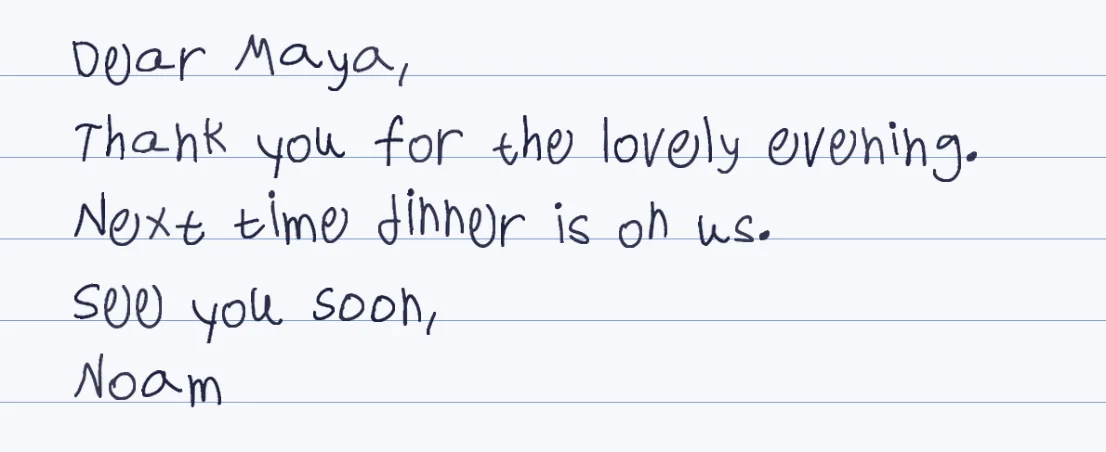
Live typing needs a font file
A font maker turns your template into a file you install. Then you type anywhere that accepts installed fonts.
Finished pages need a page maker
Penmark takes the text and returns pages in your handwriting, with a different variation of each letter.
Copy and paste cannot carry shapes
Text holds characters, not how they look, so a pasted handwriting font is just letters again.
Free, no account
Penmark is free, and a ready-made hand lets you see the result before you fill anything in.
The routes, side by side
| Route | Works in | Result | Honest limit |
|---|---|---|---|
| A font made from your handwriting | Apps that accept an installed font file, such as Word on your computer | Live text in a font, one shape per letter | Looks printed up close; some apps ignore installed fonts, so check yours first |
| Penmark pages in your hand | Anywhere, as a picture or a PDF | Finished pages, three variations per letter | Not editable text; change the source and convert again |
| Copy and paste handwriting generators | Social media bios and captions | Unicode letters that look like script | Not your handwriting, and often unreadable to screen readers |
| Writing on a tablet with a pen | Note apps | Your actual strokes | You still have to write it |
How it works
- Decide whether you need to keep typing in an app (a font) or to produce finished pages (a page maker)
- For finished pages: open Penmark, press try-now for a ready-made hand, or fill the template for your own
- Paste the typed text, choose the paper and download a PDF, Word file or PNG
- To use it inside another app, place the PNG or PDF there as a picture
Try it free, a ready-made hand and a first page in seconds
Why you cannot copy and paste handwriting
Text, the thing you copy and paste, is a string of characters. It says this is an a and this is a b, and how they look is decided by the font the receiving app uses. There is no way to carry a particular person's shape of the letter a inside the text itself, which is why a note pasted into a chat always comes out in the chat's font.
The copy-and-paste handwriting generators get around this with a trick: they swap your letters for lookalike characters from the Unicode set, mathematical script letters, for instance. The result looks like calligraphy in a bio or a caption, but it is not your handwriting, it is the same fancy letter for everyone, and many screen readers read it out as a string of odd symbols. To get your own writing onto a page, you need an image or a PDF, or a font made from your hand.
Route one: a font file made from your handwriting
A font maker has you write the characters on a template, then builds a font file from your letters. Install it and any program that uses your computer's fonts can type in it. It is the right answer when you want to keep typing and editing live: a card in Word, a label, a poster. Two honest cautions. A font repeats one shape per letter, so close up it reads as printed. And not every app uses fonts you install: cloud editors in particular tend to work from their own font menu, so confirm that your app accepts a custom font before you pay for one.
Penmark does not make this file. The Calligraphr and YourFonts comparisons set out what those tools do, what they cost and where they are better than we are.
Route two: finished pages in your handwriting
Penmark keeps the opposite promise. You fill one template once, about 10-20 minutes in total, and the engine learns 155 characters in three variations each. From then on you paste text and get pages: PDF, Word or PNG, on lined, grid, dotted or blank paper, Hebrew and English together, math included. Pages come out in seconds. A ready-made hand, 91 of them, lets you test the result before you capture anything.
To use a page inside another app, place the PNG or PDF as a picture. That works in Docs, Slides, Canva and email alike, because a picture needs no font support at all, and it is the reliable route when the app will not take an installed font. The trade is that it is a picture: to change a word you edit your text here and render again.
Which one should you pick
If you will keep editing live in an app that takes custom fonts, make a font. If the result is a finished page, a letter, an assignment, an invitation or a note, render pages. If you only want to see what your handwriting would look like, a ready-made hand in Penmark answers that in a minute and costs nothing. The guide to a handwriting font from a photo explains why a plain photo does not work, and the handwriting font page compares the three routes in more detail.
Questions & answers
Can I type in my own handwriting in Word?
Yes, with a font made from your handwriting installed on your computer. Penmark does not make a font file; it makes finished pages you can place in Word as pictures or as a Word file of page images.
Can I use my handwriting font in Google Docs?
Cloud editors generally work from their own font menu rather than the fonts installed on your computer, so a custom font file often does not follow you there. Check before paying for one. A picture of the written page works anywhere.
Can handwriting be copied and pasted as text?
No. Pasted text carries characters, not their shapes, so it always takes the font of where you paste it. Copy-and-paste generators swap in lookalike Unicode letters, which are not your handwriting.
What does a copy and paste handwriting generator actually make?
Letters from the Unicode set that resemble script, such as mathematical script letters. They look like calligraphy in a caption, are the same for everyone, and often read badly in screen readers.
How do I get my handwriting into a Google Doc or a Canva design?
Render the pages in Penmark, download the PNG or PDF, and insert it as a picture.
How long does it take to set up my own handwriting?
The template takes about 10-20 minutes in total, once. A ready-made hand needs no setup and shows the result in seconds.
Try it free, a ready-made hand and a first page in seconds
Penmark in numbers
- Price
- Free, no account
- Characters captured
- 155 in one template: Hebrew with final letters, English, digits, punctuation, math symbols and Greek
- Time to set up
- About 10-20 minutes in total, once. Or skip it: 91 ready-made hands work immediately
- Variations per character
- Three, from the three times you write each character
- Languages
- Hebrew and English in one sentence, plus math. No niqqud, Hindi, Arabic or Cyrillic
- Output
- PDF, Word (docx) or PNG on lined, grid, dotted or blank paper
- Privacy
- Uploads deleted within about 24 hours; your library stays in your browser
- Not included
- No installable font file, no tables or graphs, no OCR of scans