Practical File in Your Own Handwriting: Typed to Handwritten, Free
Your college wants the practical file handwritten, but the experiments, programs and observations are already typed. Writing the fair copy by hand takes nights. Penmark turns the typed file into pages in your own handwriting: fill one pen template once, then paste each experiment and download it, in blue or black ink, on lined or grid paper, formulas included.
Languages, no fine print: Penmark writes the Latin letters a-z without accents (so English, Indonesian and Tagalog are written in full), Hebrew without niqqud, digits and math. It does not write Devanagari (Hindi, Marathi, Nepali), Arabic or Urdu script, Cyrillic (Russian, Ukrainian), or accented Latin letters such as á, ñ, ü, ç and ş. In Spanish, Turkish, German or French text those letters are left out, and the tool lists which ones.
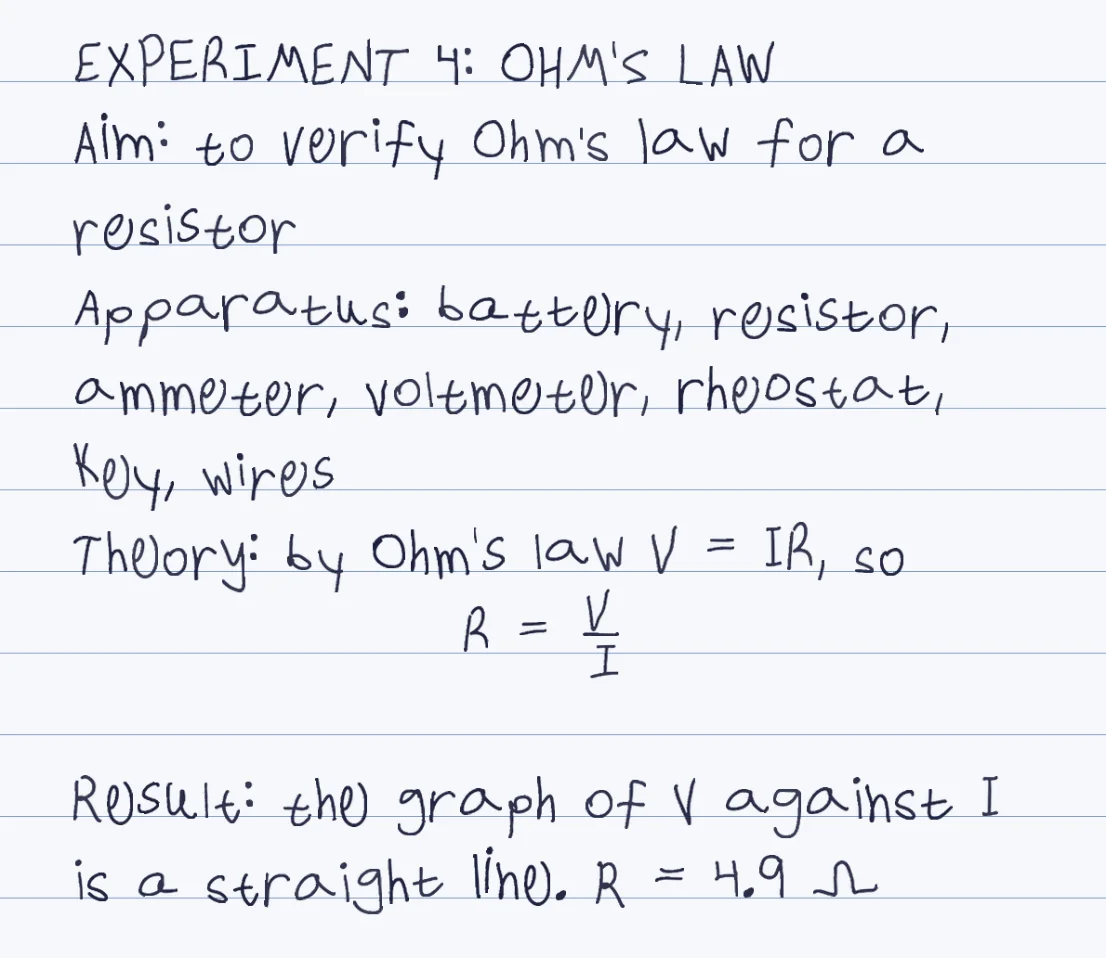
Your hand, not a font
Every character is captured three times from your template and alternated, so the tenth page still looks like you wrote it.
Built for the fair copy
Aim, apparatus, theory, procedure, result and viva answers: paste the typed sections and get them back in your hand.
Formulas drawn properly
Stacked fractions, radicals, exponents, units and Greek letters, from plain text or LaTeX.
Blue or black ink
Pick the ink your college asks for, on lined, grid, dotted or blank paper, as a PDF, Word file or PNG.
How it works
- Print the English template: 7 pages, 128 characters (a-z in capitals and small letters, digits, punctuation, math symbols and Greek letters)
- Write each character three times in its box with a dark pen, the way you write in your record notebook
- Photograph each page flat from above with the four black corner squares in view, and upload. About 10-20 minutes in total, once
- Paste the typed experiment or program, or upload the PDF, Word or txt file, then choose the paper and blue or black ink
- Download the PDF, print it, and draw the diagrams and tables in the space you left
Try it free, a ready-made hand and a first page in seconds
What goes into a practical file, and what Penmark writes
A practical file, also called a lab file, record or journal, is the handwritten record of every experiment in a lab course: aim, apparatus, theory, procedure, observations, calculations and result, checked and signed by the lab teacher. Engineering colleges, diploma courses and Class 11 and 12 science and computer science all ask for one, and it is marked partly on neatness and completeness.
Penmark writes the text parts: aim, theory, procedure, precautions, result and viva answers, plus the calculations with real fractions, units and Greek letters. Paste one experiment at a time so each one starts on a fresh page, and choose lined paper for theory-heavy subjects or grid paper for physics and chemistry calculations.
What you still draw by hand
Diagrams, circuit diagrams, graphs and observation tables are not drawn. Leave a few empty lines where each one goes, print the page, and draw them with a pencil and scale as you normally would. A lab teacher expects those in your own hand anyway.
For a computer science practical file, plain programs work, but several programming characters are not in the template: the hash (#), the asterisk (*), the ampersand, the underscore (_), the at sign (@), the backslash, the tilde and the vertical bar. A C program with #include, pointers or printf formats, or Python with snake_case names and comments, comes out with those characters missing, and the tool lists exactly which ones it skipped. Algorithms written as numbered steps, flowchart descriptions and outputs work fine.
Printed or handwritten: which rule applies to you
The rule comes from your university and your lab, so it is worth knowing which one you are under. IGNOU, for example, asks for handwritten assignments in most programmes and does not accept printed ones, and Allama Iqbal Open University in Pakistan has asked for handwriting in some courses while accepting typed work in others. For a practical file, your own college and lab set the rule.
Whatever the rule, the typing is already done, and Penmark saves the evenings of copying it out. If you only want to see the output first, open the tool and a ready-made hand renders a sample page in seconds, with no template; there are 91 of them. The handwritten assignment page covers the same steps for assignments, and handwritten math lists every formula feature.
Questions & answers
Can I make my practical file in my own handwriting online?
Yes. Fill the Penmark template once with a dark pen (about 10-20 minutes in total), upload the photos, then paste each typed experiment and download it as a PDF in your own handwriting. It is free and needs no account.
Will it draw the diagrams and observation tables?
No. Diagrams, graphs and tables are not drawn. Leave empty lines where they go, print the pages and draw them by hand with a pencil and scale.
Can I choose blue or black ink?
Yes. Blue and black are among the ink colors, and the choice carries into the PDF, the Word file and the PNG.
Does it work for a computer science practical file with programs?
Partly. Plain programs work, but the template has no hash, asterisk, ampersand, underscore, at sign, backslash, tilde or vertical bar, so code that uses them comes out with those characters missing. The tool lists any character it could not write.
Can I write the practical file in Hindi?
No. Penmark writes English (a-z without accents), Hebrew and math. Devanagari is not supported, so a file written in Hindi will not render.
How do I keep each experiment on its own page?
Paste and download one experiment at a time, then print the files in order. Every download starts on a fresh page.
Try it free, a ready-made hand and a first page in seconds
Penmark in numbers
- Price
- Free, no account
- Characters captured
- 155 in one template: Hebrew with final letters, English, digits, punctuation, math symbols and Greek
- Time to set up
- About 10-20 minutes in total, once. Or skip it: 91 ready-made hands work immediately
- Variations per character
- Three, from the three times you write each character
- Languages
- Hebrew and English in one sentence, plus math, and any language written in plain a-z (Indonesian, Tagalog). No niqqud, Hindi, Arabic, Cyrillic or accented letters
- Output
- PDF, Word (docx) or PNG on lined, grid, dotted or blank paper
- Privacy
- Uploads deleted within about 24 hours; your library stays in your browser
- Not included
- No installable font file, no tables or graphs, no OCR of scans